Case Study
Creative Systems & Digital Experience
Building the creative system behind the customer experience.
Shopify UX, launch merchandising, homepage presentation, image-processing automation, SEO-aware product workflows, and operational tools built to make e-commerce creative faster, cleaner, and more consistent.
Role / Scope
Experience
Homepage presentation, raffle rows, brand displays, new arrivals, Instagram feed, and micro-interaction polish
Automation
Image processing, SEO filenames, SKU-aware exports, Shopify upload workflow, and product asset consistency
Operations
Brand recap automation, reporting support, launch workflow improvement, and repeatable creative systems
Shopify
Digital experience
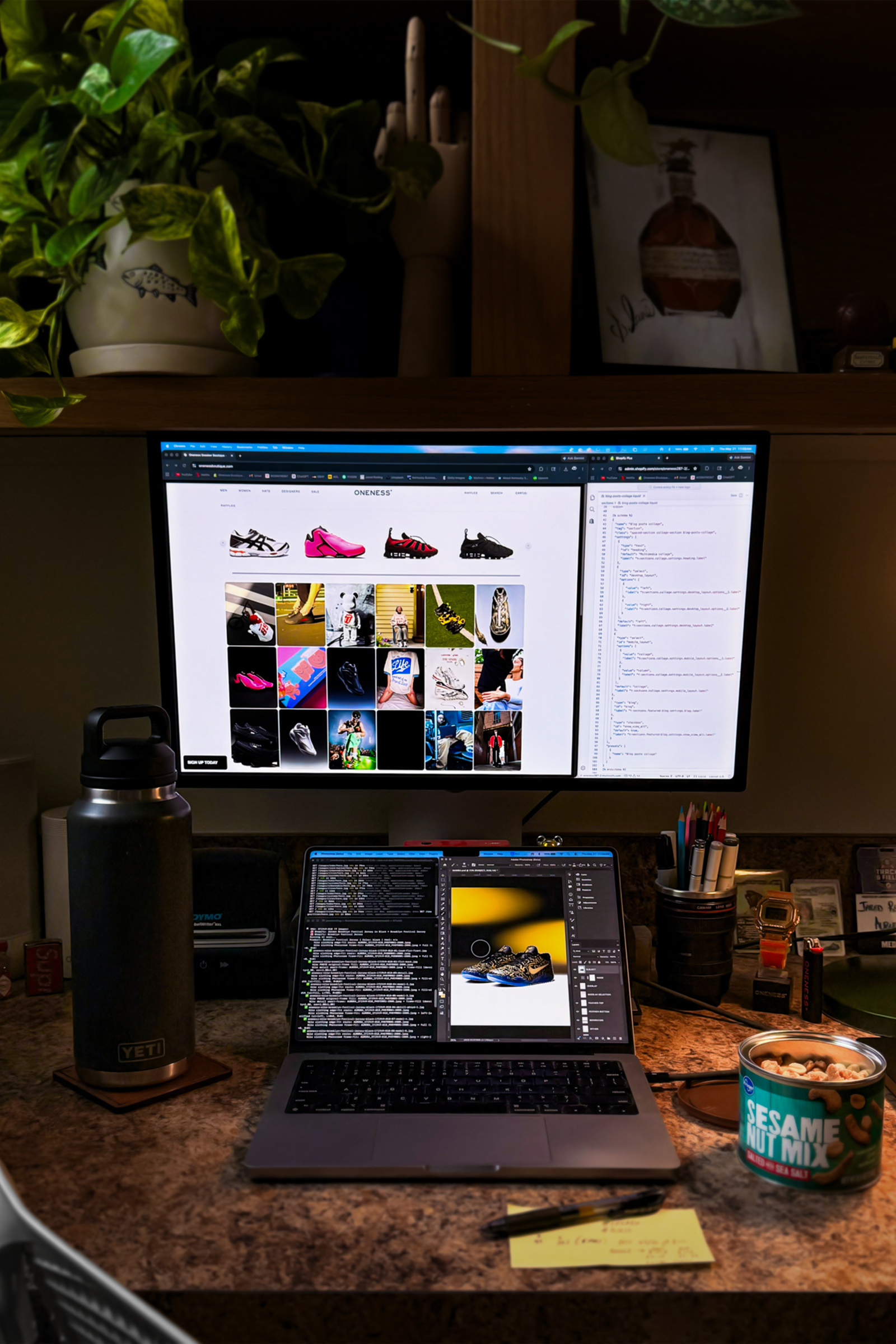
Homepage presentation, launch merchandising, brand displays, new arrivals, Instagram integration, and customer-facing UX polish.
Python
Image automation
Custom processing workflows resize, rename, sequence, and prepare product assets for cleaner e-commerce presentation.
SEO-Optimized
Filename logic
Product imagery is retitled into cleaner, searchable naming structures tied to product, color, SKU, and shot order.
Auto-upload
Shopify workflow
Processed product folders can be watched, matched, uploaded, and moved through the workflow with less manual handling.
Project Overview
The work is both the storefront and the system behind it.
This work sits between creative direction, e-commerce UX, and operations. The goal is not just to make the site look better, but to make product launches easier to understand, product assets easier to manage, and customer-facing presentation more consistent across the store.
The systems include homepage merchandising, launch and raffle presentation, product hover details, brand navigation displays, image processing, SEO-aware file naming, Shopify upload workflows, and automated recap generation.
Homepage Experience
Product presentation, launch context, and micro-interactions working together.
The Oneness homepage uses a mix of raffle presentation, new arrivals, Instagram content, brand displays, and subtle interaction details to make shopping feel more active and curated. Product bounce, lighting shifts, and hover behavior are small details, but they help the experience feel more premium.
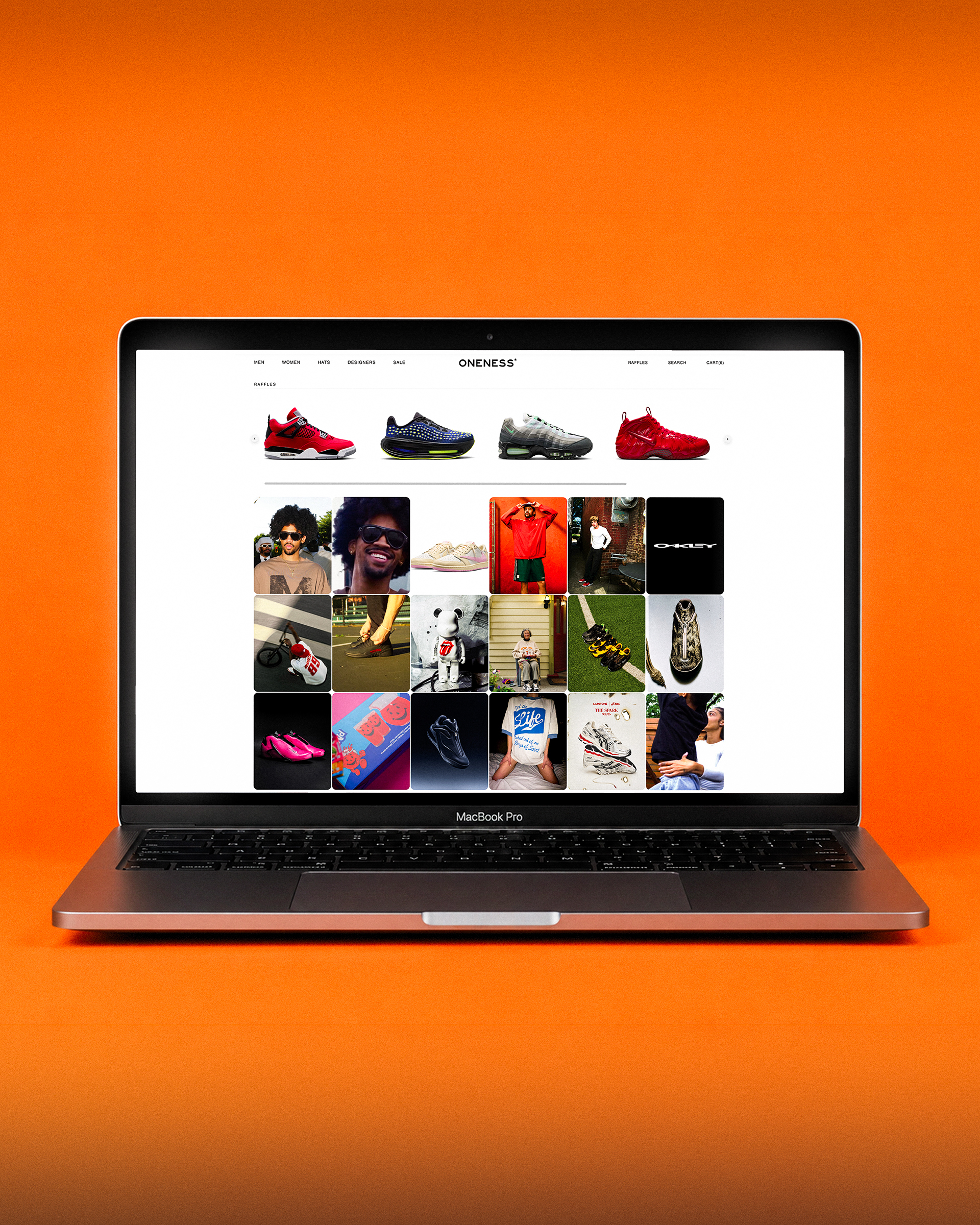
Image Automation
Turning raw product assets into cleaner, searchable, Shopify-ready imagery.
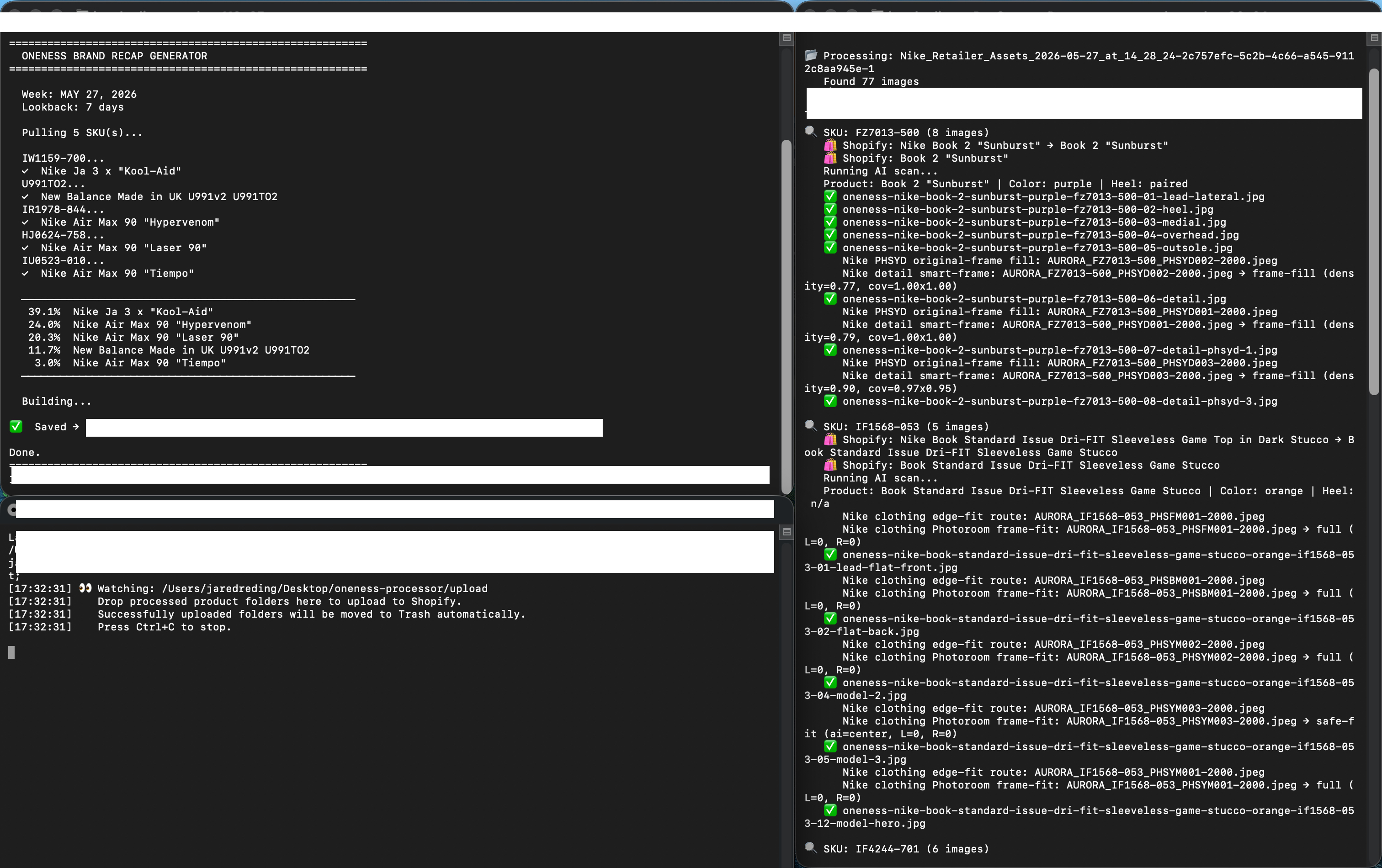
The automation workflow reduces repetitive manual production by processing product imagery, standardizing sizing, generating cleaner file names, and preparing assets for upload in a repeatable way.
Sensitive terminal details are intentionally blurred, but the system proof remains clear: raw assets move through processing, naming, quality logic, and output folders that support faster product publishing.
Shopify Upload Pipeline
Processed folders move from desktop workflow into Shopify with less manual handling.
The watchdog uploader monitors completed product folders, uploads the finished image set to Shopify, and clears successful folders out of the working queue. The result is a cleaner handoff between image processing and product population.
Reporting + Motion Systems
Internal tools and motion assets help creative work move beyond static output.
The systems also support recap generation, sell-through storytelling, and motion-based presentation. This is where creative, reporting, and digital output start to overlap: the work becomes easier to present, explain, and act on.
System Logic
The creative gets stronger when the workflow behind it gets stronger.
The biggest value is not any single script, video, or homepage row. It is the connected system: better product assets, better naming, better upload flow, better site presentation, and a cleaner customer experience.
01
Raw assets
Brand product files, photography, launch content, or campaign inputs enter the workflow.
02
Processing
Images are resized, ordered, cleaned, and prepared for consistent product presentation.
03
SEO naming
File names become more searchable and structured around product, color, SKU, and shot order.
04
Shopify upload
Finished folders move into the upload pipeline and populate product imagery more efficiently.
05
Customer experience
The final output is cleaner product pages, stronger homepage merchandising, and clearer launch context.
Takeaway
A creative lead who can improve the output and the machine behind it.
Creative Systems & Digital Experience shows the operational side of my work: not just making better creative, but building repeatable systems that improve how products are processed, presented, launched, uploaded, and experienced by customers.